
Your icloud can store your crucial data so you want to check and make sure it's safe and secure.
Checking your icloud
Cyber attacks can alter or in some cases delete your data, even if it's stored in iCloud. Checking your data to ensure it's safe is one of the first things our cyber experts recommend. To check your iCloud account, follow these steps:
To view files you've stored on iCloud
1. Open the files app by tapping it or use Siri "Siri, open the files app"
2.Tap iCould Drive
3. View the files and verify they are there.
To view your iCloud storage settings
1.Tap Settings
2.Tap your name/Apple ID at the top
3.Tap iCloud
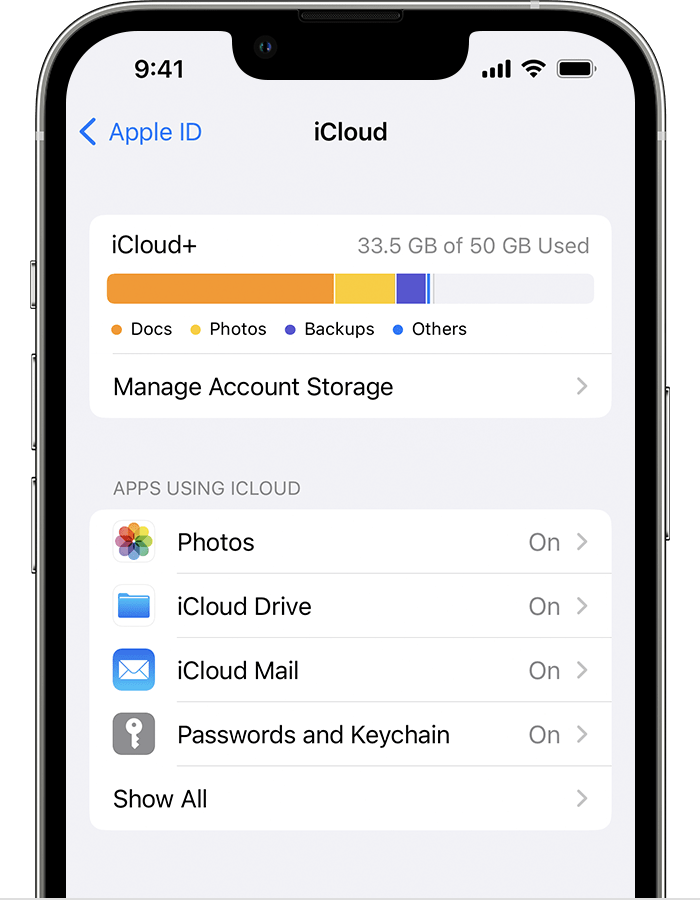
Seeing this screen mean you can access your iCloud iCloud storage correctly. If you receive any type of error or strange message while navigating to this screen, take note and notify our support team.
Offical iCloud links from Apple Support
Contact Us
Our agents and support team are here to answer questions, offer guidance and resolve any Cyber attacks.
To reach us:
Phone: +1 (223) 232-2220
Email: customersupport@cyberaid.app
You can submit a request in our Help Center or chat with us using our chatbot or our mobile cyber app.
Download CyberAid's App
Our mission at CyberAid is to keep you safe and secure online with all the cyber protection you need in one place. To get the most effective cyber defense, download our mobile cyber app.