
Email addresses are one of our most used pieces of digital data. Large-scale email breaches happen when companies experience cyber attacks and their customers' email addresses are stolen. The stolen email addresses can remain out of sight for months until hackers decide to use them as part of a cyber attack.
The rules and regulations around publishing data breaches may vary from state to state, so it's always best to check your email addresses yourself.
CyberAid's email breach tool is a very easy way to check if your email address was involved in a previous cyber breach. Once you use the tool, It scans the dark web to detect whether your email and password have been exposed. We will notify you once such a breach is detected.
Instructions for using our Email Breach tool:
1 - Open your CyberAid app
2 - From the home screen, tap the menu, then tap Breach
3 - Enter the email address you want to check (If you’ve previously checked a different one, click “Change email") and check the confirmation box.
4 - Press next and a verification email will be sent to that email address. Tap “Go to mail to verify”
Results of the breach check
A list of breaches (if any) will be displayed after the check is finished. You will also see information about when and what the breach was along with guidance on what to do next.
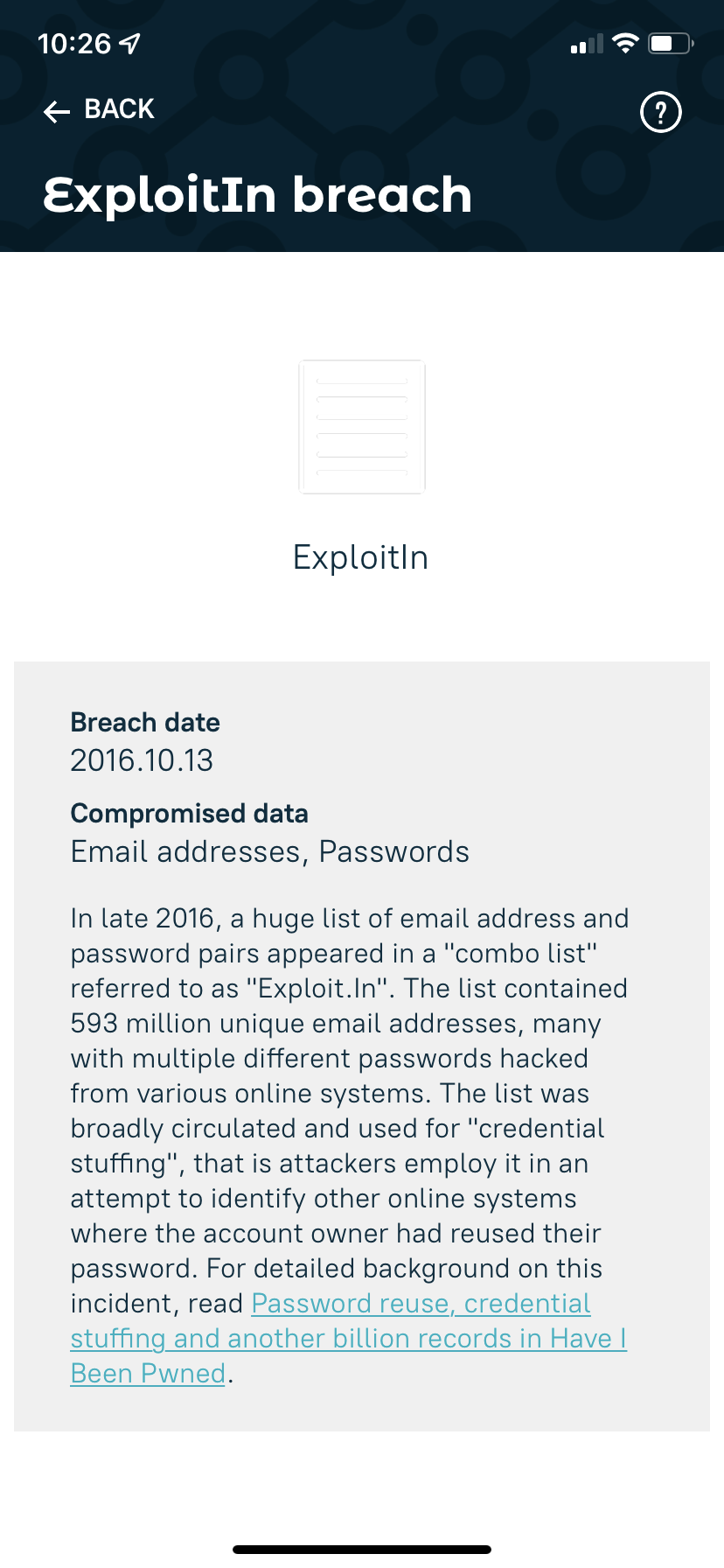
If a breach has been found since the last time you changed your password, it means your password was exposed and it is highly recommended to change it to avoid cyber attacks. Learn how to create a strong password here.
Download CyberAid's App
Our mission at CyberAid is to keep you safe and secure online with all the cyber protection you need in one place. To get the most effective cyber defense, download our mobile cyber app.
Contact Us
Our agents and support team are here to answer questions, offer guidance and resolve any Cyber attacks.
To reach us:
Phone: +1 (223) 232-2220
Email: customersupport@cyberaid.app
You can submit a request in our Help Center or chat with us using our chatbot or our mobile cyber app.